Every Remi Blaze plugin has an About panel, and the Fire Head opens it: the small flame logo at the left of the top bar, beside the plugin's name. That's the same in the free and paid plugins, in the full Pros and in the one-knob Raw series. Click anywhere in the panel to close it.
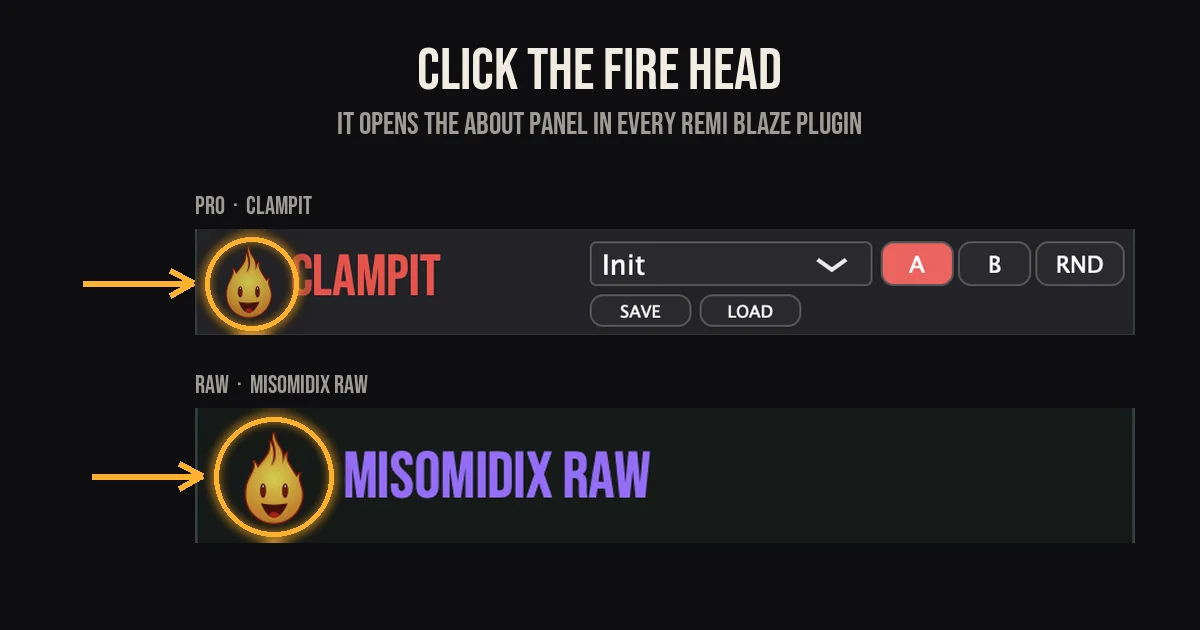
Some plugins also show a small flame in the footer, beside the Remi Blaze name. That one is a signature. The button is the one in the top bar.
What's in the About panel?
- The version number, with the plugin's name.
- What the plugin is, in a line.
- Who made it: Remi Blaze.
- The trademark notices for the plugin formats it ships in.
- A field. More on that below.
Why the version number matters
When something isn't working, the first thing we ask is which version you're running, and the About panel is the quickest place to read it. Put it in the plugin version box of a support request and it helps us check whether an update already fixes the problem.
And the field?
We'll leave that one with you. For those who know the music, there are rewards. Seek and you shall find.
Frequently Asked Questions
How do I check which version of a Remi Blaze plugin I have?
Open the plugin in your DAW and click the Fire Head, the flame logo at the left of the top bar. The About panel shows the version number with the plugin's name.
Do the free plugins have an About panel too?
Yes. Every plugin has one, free and paid, the full Pro plugins and the one-knob Raw series alike, and it opens the same way.
How do I close the About panel?
Click anywhere in the panel and it closes, leaving you back at the plugin.
What is the field in the About panel for?
That one we leave for you to find out. For those who know the music, there are rewards. Seek and you shall find.