Torchit
Saturation & Drive
"Four saturation modes, three tone-shaping modes, and forensic Delta monitoring — from subtle warmth to aggressive grit."
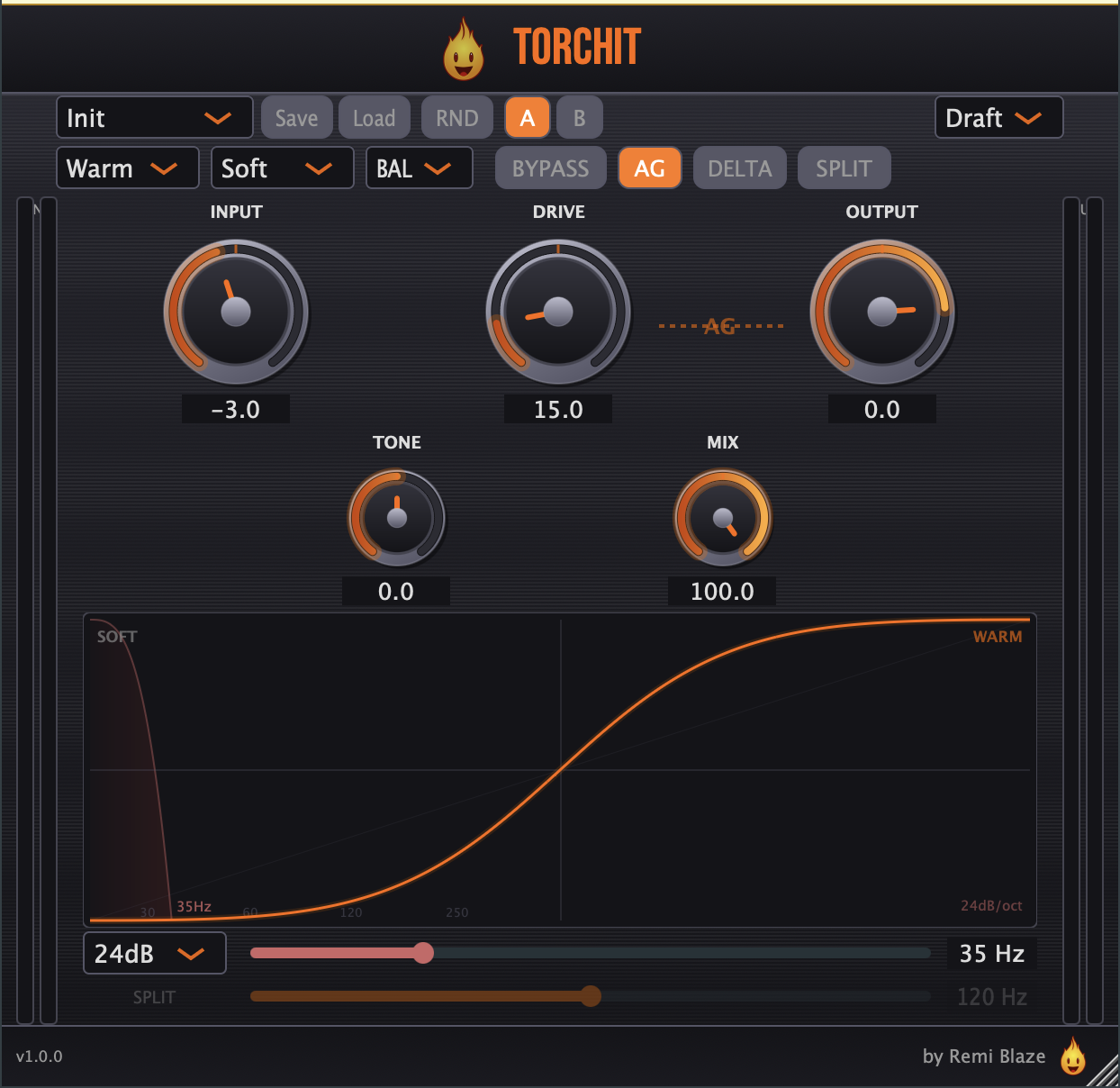
Torchit is a free, high-fidelity saturation and drive plugin built for electronic music — from subtle mix-bus warmth to full-blown sonic destruction. Four modes (Warm, Grit, Tube, Tape) with a Hard/Medium/Soft knee, oversampled up to 8x and monitored through a phase-aligned Delta so you hear exactly what you add. Signed and notarized on macOS, code-signed on Windows. AU, VST3, CLAP, AAX and Standalone on macOS; VST3, CLAP and Standalone on Windows.
INSTALLATION
3 steps.
RUN THE INSTALLER
Double-click the .pkg file. Choose AU, VST3, CLAP, AAX or Standalone.
CHOOSE YOUR FORMATS
The installer lets you pick AU (Logic, GarageBand, Ableton), VST3 (Ableton, Reaper, Bitwig, FL Studio), and the Standalone app. Install takes a few seconds.
OPEN YOUR DAW
Restart your DAW and rescan plugins if needed. Find Torchit under Remi Blaze in your plugin list.
- Ableton: Plugins › Audio Effects › VST3
- Logic Pro: Audio Effects › Remi Blaze › Torchit
- Reaper: FX › VST3 › Torchit
FEATURES
Saturation Engine
Tone Shaping
Controls
Monitoring & Workflow
Under the Hood
FACTORY PRESETS
SYSTEM REQUIREMENTS
- OS macOS 15.0 (Sequoia) or later · Windows 10 or 11 (64-bit)
- Architecture Apple Silicon + Intel (Universal Binary) · x64 on Windows
- Formats macOS: AU, VST3, CLAP, AAX, Standalone. Windows: VST3, CLAP, Standalone
- DAW Any AU, VST3, CLAP or AAX compatible host
FREQUENTLY ASKED QUESTIONS
Yes. Torchit is completely free to download and use under a proprietary freeware license. No trial, no watermark, no feature limits.
Four modes: Warm (smooth analog), Grit (asymmetric bite), Tube (vintage triode), and Tape (magnetic compression). Each mode has an adjustable Knee (Hard/Medium/Soft) that controls the clipping character.
Delta lets you hear only what the plugin adds to your signal. It uses phase-aligned forensic subtraction with separate oversampler instances — a technique that eliminates dry signal bleed for surgical monitoring of harmonics.
BAL (tilt EQ, balanced and volume-stable), GLW (precision shelf for adding air or weight), and FX (morph filter with creative LP sweep for transitions and sound design).
The high-pass filter removes low-end mud before saturation. Choose from three slope modes: Smooth (12dB/oct), Standard (24dB/oct), or Hard (48dB/oct) depending on how surgical you need to be.
Yes. Torchit is a Universal Binary that runs natively on Apple Silicon (M1/M2/M3/M4) and Intel Macs, and ships as a 64-bit build for Windows 10 and 11.
Installation guide is above. Need more help? Visit the support page.
MORE PLUGINS
Torchit is the first release in a growing collection of tools designed by a producer, for producers. More plugins are on the way.
DOWNLOADED TORCHIT?
Leave a quick rating or review on KVR Audio — it takes a minute and helps other producers discover Torchit. It's listed in the KVR plugin database alongside the rest of the suite.
Licensed under the Freeware License.