Oxidex
Analog Tape Saturation
"Analog tape saturation modeling real reel-to-reel behavior: magnetic hysteresis engine, three IPS tape speeds, wear texture, and tape stop performance control."
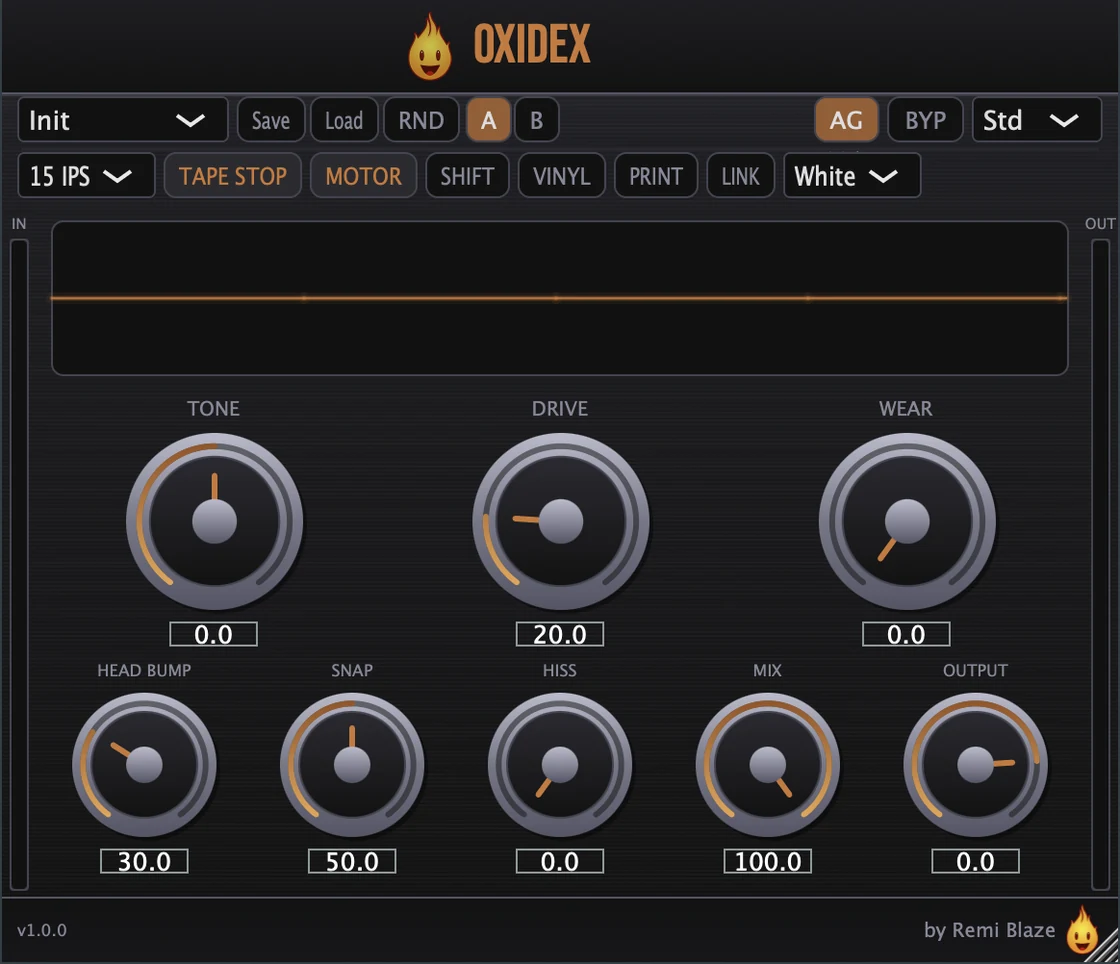
Oxidex models the physics of real reel-to-reel tape: magnetic hysteresis, resonant head bump, wow and flutter, and spectral wear, so you can dial anything from a pristine studio reel to a crinkled attic cassette. A single Wear knob ages the tape, Transient Snap keeps drum attacks alive through heavy drive, and Auto Gain strips away the louder-is-better bias so you hear character, not volume. Signed and notarized on macOS, code-signed on Windows. AU, VST3, CLAP, AAX and Standalone on macOS; VST3, CLAP and Standalone on Windows.
FEATURES
Saturation Engine
Tone & Texture
Performance Controls
Output & Monitoring
FACTORY PRESETS
SYSTEM REQUIREMENTS
- OS macOS 15.0 or later · Windows 10 or 11 (64-bit)
- Architecture Apple Silicon + Intel (Universal Binary) · x64 on Windows
- Formats macOS: AU, VST3, CLAP, AAX, Standalone. Windows: VST3, CLAP, Standalone
- DAW Any AU, VST3, CLAP or AAX compatible host
- Access Paid plugin: one-time purchase
GET OXIDEX
Oxidex is a paid plugin: one-time purchase, no subscription.
Also in the Producer Bundle: the paid Pro plugins in one purchase, for less than buying them separately.
Licensed under the Commercial License.
HOW TO USE OXIDEX
How do I add tape warmth to a mix?
Pick a tape speed: 7.5 IPS for vintage warmth, 15 IPS for a classic studio sound, 30 IPS for hi-fi. Raise Drive; auto gain matching keeps the level steady while you listen.
How do I keep my drums punchy through heavy saturation?
Turn up Transient Snap, which recovers kick and snare attacks that heavy drive would soften.
How do I make a tape stop effect?
Press Tape Stop for a slowdown and spin-up, and automate it at the end of a phrase. Wear adds wow, flutter and dropouts for a worn, lo-fi feel.
FREQUENTLY ASKED QUESTIONS
Oxidex is $29, a one-time purchase. If you want to try the engine first, Oxidex Raw gives you the essentials behind one knob.
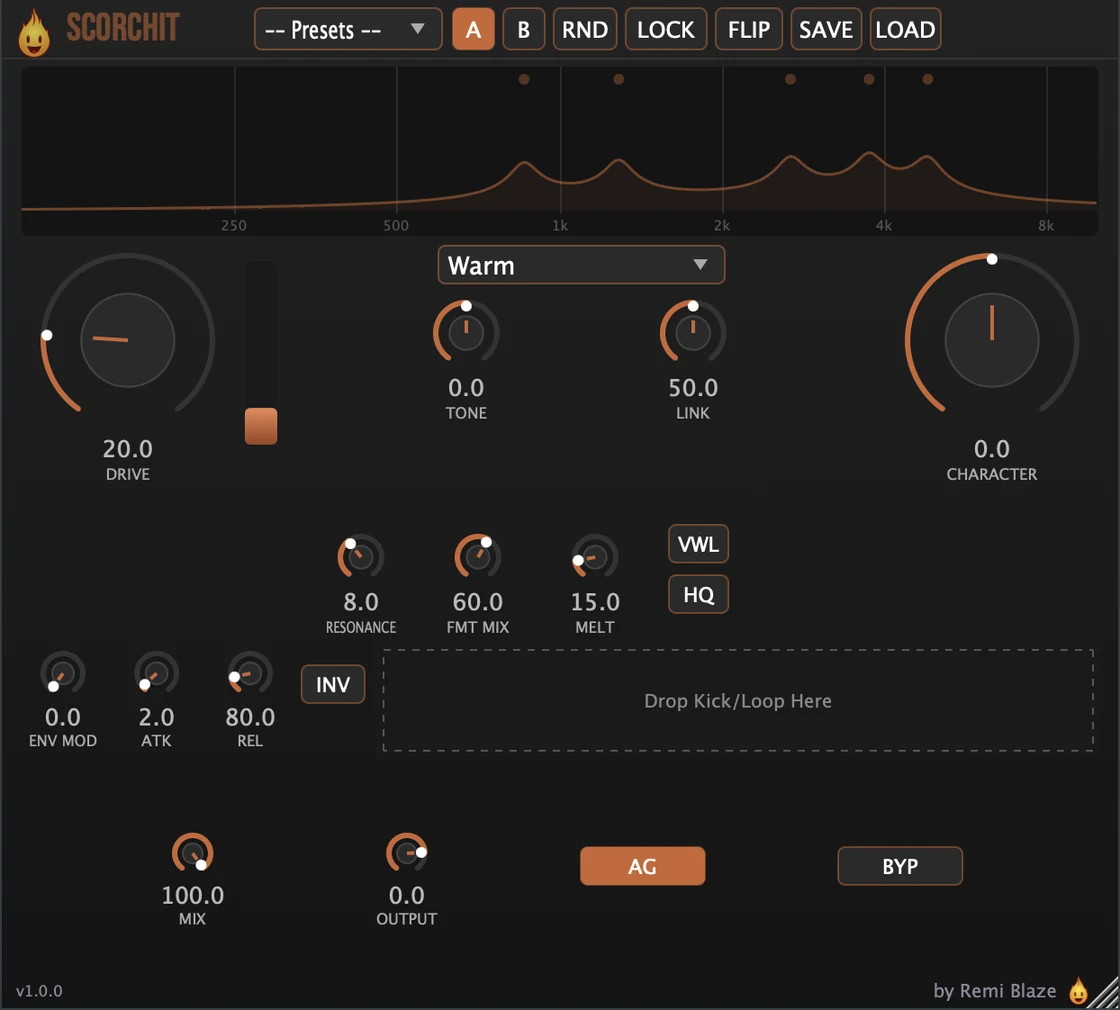
Yes. The Oxidex manual walks through the controls with a numbered screenshot of the interface, plus a how-to and answers to common questions.
Yes. Oxidex is a Universal Binary that runs natively on Apple Silicon (M1/M2/M3/M4) and Intel Macs, and it also ships as a 64-bit build for Windows 10 and 11.
AU, VST3, CLAP, AAX and a Standalone app on macOS 15.0 or later, as a Universal Binary for Apple Silicon and Intel Macs. VST3, CLAP and a Standalone app on Windows 10 and 11, 64-bit. AAX ships on macOS only.
On macOS, double-click the .pkg installer and follow the prompts; it installs every format at once. On Windows, run the .exe installer. The macOS build is code-signed and notarized by Apple and the Windows build is Authenticode signed, so neither needs a security override. No dongle and no extra account.
Oxidex Raw is the one-knob version: the same engine behind a single macro, with the detailed controls hidden. Oxidex gives you the full control set.
Yes. Oxidex is in the Producer Bundle, which has the paid Pro plugins in one purchase for less than buying them separately.
Inside the plugin. Click the Fire Head, the flame logo in the top bar, to open the About panel. It shows what the plugin is, who made it and its version, plus the trademark notices and a field worth exploring. Click anywhere in the panel to close it.