What is MisomidixStabs?
MisomidixStabs is a stabs MIDI generator for Mac and Windows. It is the stabs edition of Misomidix: same engine, one part. It writes the short, off-beat chord hits that give house and tech house their movement between the kick and the hat. It makes no sound on its own: put it on a MIDI track ahead of an instrument, or drag its MIDI onto your timeline.
The hits use the same harmony as a chord part, struck instead of sustained. Syncopation and gate turn each chord into a stab that sits in the gaps instead of filling them, and the genre decides the progression, the voicing and the rhythm the hits fall in.
How does generative stab writing work?
A stab is a short, syncopated chord hit that sits in the gaps between the kick and the snare rather than filling the bar. MisomidixStabs writes these hits from the genre's own rhythmic rules: the progression sets the harmony, syncopation places the hits off the beat, and a short gate keeps them punchy.
Complexity drives the extensions, adding sevenths, ninths and suspensions to the underlying chords. The genre decides the progression, the voicing and the rhythm the hits fall in, so switching genres changes not just the notes but where and how they are struck.
The interface
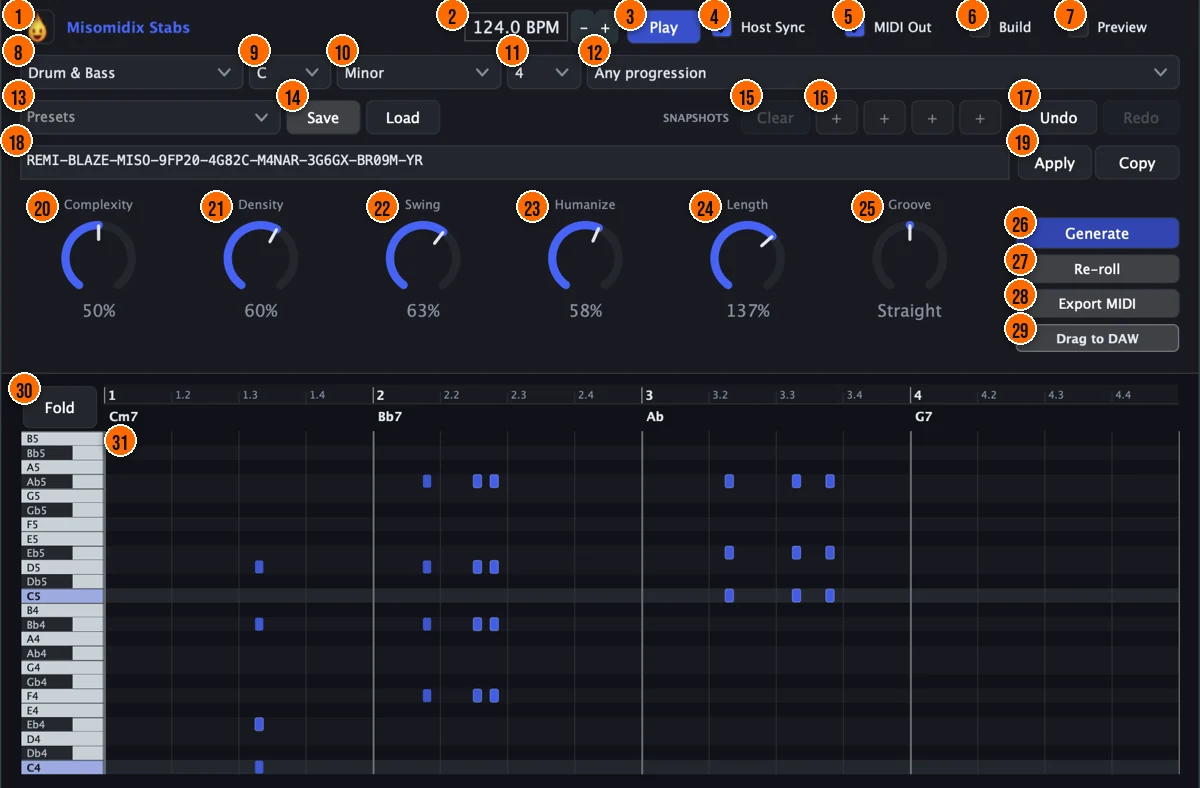
Controls
Top bar

- 1Fire Head: click the flame logo to open the About panel: what the plugin is, who made it, its version and the trademark notices. Click anywhere in the panel to close it.
- 2BPM: the tempo used when no host provides one, as in the Standalone app. In a DAW, the host's tempo is followed automatically.60 to 200 BPM, default 124
- 3Play: the plugin's own transport, used whenever the host isn't driving playback. It is on by default.
- 4Host Sync: follows your DAW's tempo and transport. Switch it off to audition with the plugin's own clock while the DAW is stopped.
- 5MIDI Out: the output gate: when it's on, the generated notes leave the plugin. If it's off, MisomidixStabs still runs but nothing reaches your instrument. It is on by default.
- 6Build: regenerates the pattern as an energy build toward the drop: the part becomes a filter riser. It works best on 8 or 16 bars.
- 7Preview: plays the pattern through a built-in preview synth, so you can audition it in place. Route the MIDI to your own instrument for the final sound.
What to write

- 8Genre: the style the stabs are written in. Each genre carries its own progression pool, voicing and stab rhythm.Tech House, Deep Tech, House, Deep House, Melodic House, Progressive House, Afro House, Organic House, Bass House, Techno, Minimal, Drum & Bass, Hip Hop / Rap, RockTip The genre decides not only the notes but where and how the stabs are struck. Switching genres changes the rhythm, the voicing and the progression.
- 9Key: the key of the stabs. Key, scale and progression decide the notes.Tip Key, scale and progression set the harmony. The stabs follow the same chord pool as the full Misomidix.
- 10Scale: the scale the notes come from.
- 11Loop length: how many bars the loop is.
- 12Progression: picks a specific chord progression from the genre's pool. Any progression lets the genre choose by weight.
Presets, snapshots and codes

- 13Presets: presets store the generative formula, the settings that produce a kind of result, and are saved to disk by name.
- 14Save / Load: Save stores the current settings as a user preset; Load opens a preset file from anywhere on disk.
- 15Clear: empties all four snapshot slots. The pattern you're on is untouched.
- 16Snapshots: four numbered slots for this session. Click + to keep the pattern you're on (it becomes the next number), and click a number to come back to it. Alt-click a slot to store over it. Snapshots are saved with your project.
- 17Undo / Redo: undo and redo cover generating, re-rolls, preset loads, snapshot recalls and imports.
- 18Pattern code: the current pattern as a shareable code. Paste a code in and press Apply or Enter to get that exact pattern back.
- 19Apply / Copy: Apply loads the code in the box; Copy puts this pattern's code on your clipboard. Codes carry a checksum, so a mistyped code is refused instead of loading something else.
Macros

- 20Complexity: drives the extensions: sevenths, ninths and suspensions.0 to 100%Tip Complexity adds sevenths, ninths and suspensions. Lower it for clean triads, raise it for richer chord hits.
- 21Density: how many notes there are. Low for a sparse intro, high for a busy drop.0 to 100%Tip Density controls how many hits land per bar. Lower it for a sparse accent, raise it for a busy rhythmic pattern.
- 22Swing: the swing of the timing.0 to 100%Tip Swing pushes the off-beat stabs later. A small amount gives the rhythm a shuffled, house-music feel.
- 23Humanize: adds a human feel to the timing and playing.0 to 100%Tip Humanize loosens the timing so the hits don't land exactly on the grid. A small amount adds a natural, played-in feel.
- 24Length: note length: below 100% shortens notes toward staccato, above it lengthens them toward legato. Notes still never collide.10% to 200%Tip Shorter Length makes the stabs more percussive. Longer values let the chord ring, closer to a pad than a hit.
- 25Groove: leans the whole timing ahead of the beat (Rush) or behind it (Drag).Rush 100% to Drag 100%, with Straight in the middleTip A slight Rush pushes the stabs ahead of the beat for an aggressive drive, while Drag lays them back.
Generate and export
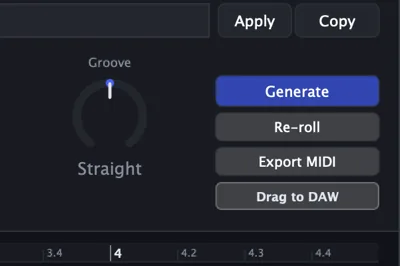
- 26Generate: generates a new pattern.
- 27Re-roll: re-rolls the stabs.
- 28Export MIDI: saves the stabs as a MIDI file.
- 29Drag to DAW: drag from this handle onto your timeline to take the pattern on screen into your session.
Piano roll
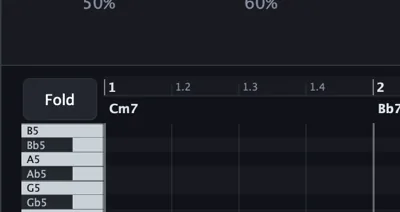
- 30Fold: shows only the pitches the part actually uses, so the piano roll stays compact.
- 31Piano roll: shows the notes of the stabs. You can also drag it onto your timeline.
Meters and displays
- 31Piano roll: shows the notes, with the bar numbers along the top and the chord names above each bar.
- MIDI files on the window: drop a .mid file on the window to import it and re-shape your own material.
Key specs*
| Output | MIDI only; makes no sound on its own (a built-in preview synth is for auditioning) |
|---|---|
| Part | One: the stabs |
| Genres | 14 |
| Macros | Complexity, Density, Swing, Humanize, Length, Groove |
| Extensions | Sevenths, ninths and suspensions, driven by Complexity |
| Harmony | The same harmonic plan the chords use |
| Tempo | Follows the host; 60 to 200 BPM when standalone |
| Recall | 4 snapshot slots (saved with the project), presets, checksummed pattern codes; seed-deterministic |
| MIDI out | Drag to the timeline, or export as a MIDI file |
| MIDI in | Drop a .mid file to re-shape your own material |
* Key specs from the plugin page. Some specs may not be listed.
How does the sound flow through MisomidixStabs?
MisomidixStabs writes MIDI, not audio. The stabs are voiced from the harmony, then struck instead of sustained.
How do I write stabs with MisomidixStabs?
- Load it. Put MisomidixStabs on a MIDI track ahead of an instrument, or open the Standalone app.
- Set the harmony. Pick a genre, a key, a scale, a loop length and a progression. They decide the notes.
- Add color. Use Complexity for sevenths, ninths and suspensions.
- Generate. Press Generate, or Re-roll for a new version of the hits.
- Place the hits. Use Density, Swing, Humanize and Groove to place the hits against the beat. Keep each version you like in a snapshot slot with +.
- Take it out. Drag the pattern onto your timeline with Drag to DAW, or press Export MIDI for a MIDI file. Copy the pattern code to get the result back later.
How do I add stabs to a beat I already have with MisomidixStabs?
- Match the key and progression. Set the key, scale and progression to match the chords or harmony in your session.
- Pick a genre. Choose the genre closest to your track's style. The genre decides the syncopation and the voicing.
- Lower Density. Start with Density low so the stabs accent rather than fill. Raise it until the rhythm feels right.
- Shorten Length. Pull Length down for short, percussive hits. Stabs work best when they don't ring.
- Drag onto a stab instrument. Drag the result onto a MIDI track routed to a short, bright synth or sampled chord stab.
What about the full Misomidix?
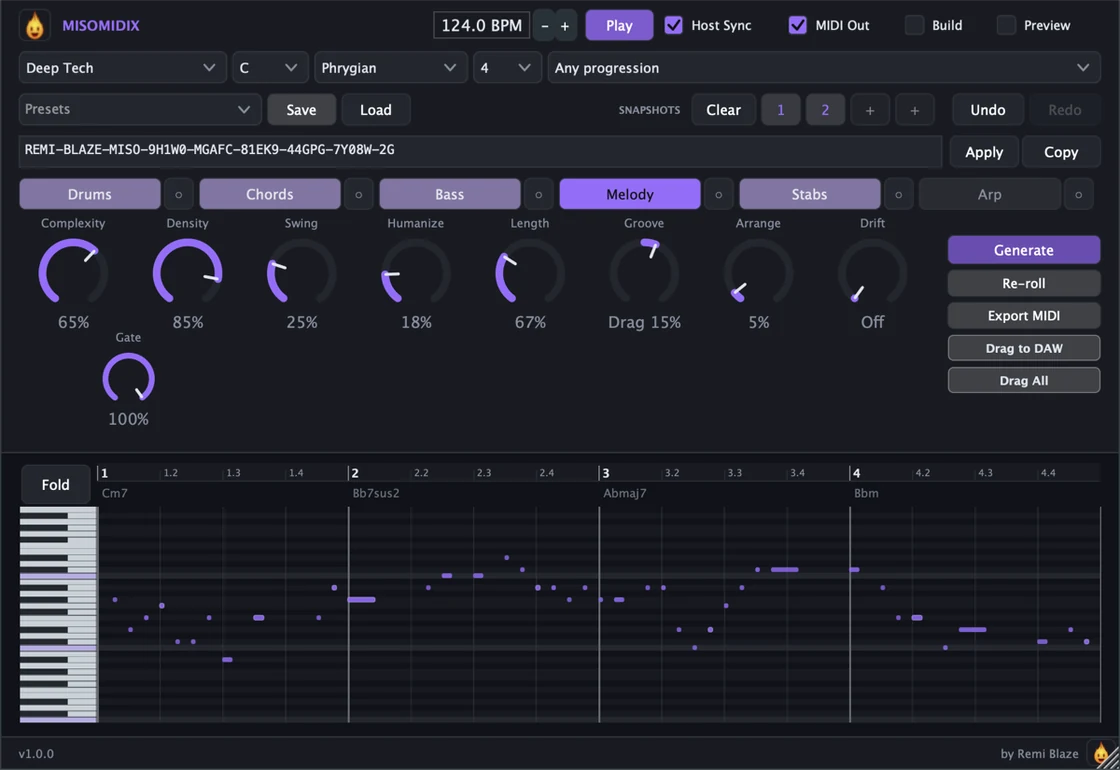
MisomidixStabs writes the stabs alone. Misomidix writes all six parts together on the same engine: drums, chords, bass, melody, stabs and arp, in an order where each part follows the ones before it. Lock the parts you like and re-roll the rest. Misomidix is also in the MIDI Bundle with Misomidix Raw, Ghostix and Vortix.
Keyboard and mouse shortcuts
These work in every MisomidixStabs format (AU, VST3, CLAP, AAX, Standalone).
| Reset a control to its default | Double-click the knob or slider |
|---|---|
| Scroll to change a value | Hover over a knob and scroll the mouse wheel |
| Type an exact value | Click the value below a knob and type a number |
Frequently Asked Questions
How do I get sevenths and ninths in the stabs?
Use Complexity. It drives the extensions: sevenths, ninths and suspensions.
Where do the stabs land?
In the gaps between the kick and the hat. Syncopation and gate turn each chord into a short hit placed against the groove instead of on top of it.
How do I get a pattern back later?
Keep it in one of the four snapshot slots, save the settings as a preset, or copy its pattern code. Pasting the code back in with Apply gives you that exact pattern.
Why does MisomidixStabs appear under Audio FX in my DAW?
In some hosts the CLAP version shows up under Audio FX as well as Instruments. Either one works.
I can't hear anything. What should I check?
MisomidixStabs only writes MIDI, so route it to an instrument, or switch on Preview to audition it. Then check that Play and MIDI Out are on; both are on by default.
Where can I find more about MisomidixStabs?
On the MisomidixStabs page: its features, system requirements and how to get it.
How do I buy and install MisomidixStabs?
- Buy it. MisomidixStabs is a one-time purchase. Buy it from the MisomidixStabs page, and the store emails you the download link.
- Run the installer. On macOS, double-click the .pkg file and choose AU, VST3, CLAP, AAX or Standalone. On Windows, run the .exe installer and choose VST3, CLAP or Standalone.
- Open your DAW. Restart your DAW and rescan plugins if needed, then find MisomidixStabs under Remi Blaze in your plugin list.
More about MisomidixStabs, including its features and system requirements, is on the MisomidixStabs page.
Where are the plugin files?
If you need to find MisomidixStabs on disk, for example to troubleshoot or to uninstall it manually, these are the standard locations.
| macOS AU | ~/Library/Audio/Plug-Ins/Components/ |
|---|---|
| macOS VST3 | ~/Library/Audio/Plug-Ins/VST3/ |
| macOS CLAP | ~/Library/Audio/Plug-Ins/CLAP/ |
| macOS AAX | /Library/Application Support/Avid/Audio/Plug-Ins/ |
| Windows VST3 | C:\Program Files\Common Files\VST3\ |
| Windows CLAP | C:\Program Files\Common Files\CLAP\ |
To uninstall, quit your DAW and delete the MisomidixStabs file from the relevant folder. Your DAW will stop listing it on its next rescan.
Need help with MisomidixStabs?
If something isn't covered here, or MisomidixStabs doesn't behave as described, contact support or email support@remiblaze.com. To get an answer faster, include:
- your operating system and version (for example macOS 15.6 or Windows 11)
- your DAW and its version
- the format you're using (AU, VST3, CLAP, AAX or Standalone)
- the MisomidixStabs version, shown in the About panel (click the Fire Head)
- what you did, what you expected, and what happened instead
This manual is for MisomidixStabs 1.0.0. Controls and settings can change between versions, so if something here doesn't match what you see, check which version you have: click the Fire Head to open MisomidixStabs's About panel. Spotted a mistake or have a question? Let us know.