What is Bouncit?
Bouncit is a free BPM-synced stereo delay for Mac and Windows. It locks your echoes to the beat and lets them bounce between the left and right speakers. Each repeat can be filtered and saturated so it grows warmer as it fades, and Ducking keeps the echoes out of the way while the dry sound plays.
The left and right delay times are set as note values synced to your DAW, or in milliseconds with Sync off. The repeats feed back through a low-pass filter, a high-pass filter and a saturator, and a slow LFO can wobble the delay time like tape. The width of the echoes is set on the wet signal only, Mix blends them with the dry sound, and a soft clipper with a hard ceiling protects the output. Freeze holds the delay buffer in an endless loop.
How does a ping-pong delay work?
A delay records the sound and plays it back later. Feedback sends each echo back into the delay, so it repeats and fades. In a stereo delay the left and right sides can have their own times, and when they differ the echoes bounce between the speakers.
Bouncit puts a low-pass filter, a high-pass filter and tanh saturation inside the feedback loop. Every repeat passes through them again, so each echo comes back a little darker, a little lighter in the lows and a little warmer than the one before.
Quick start
Get a result with Bouncit in under a minute.
- Insert it. Put Bouncit on the track or bus you want to process.
- Pick a preset. Open the Presets menu and choose one close to what you want.
- Shape it. Work through the numbered controls below until it sounds right to your ear.
- Blend to taste. Pull Mix back from 100% if you want a subtler result.
- Compare. Bypass the plugin in your DAW to hear before and after.
The interface
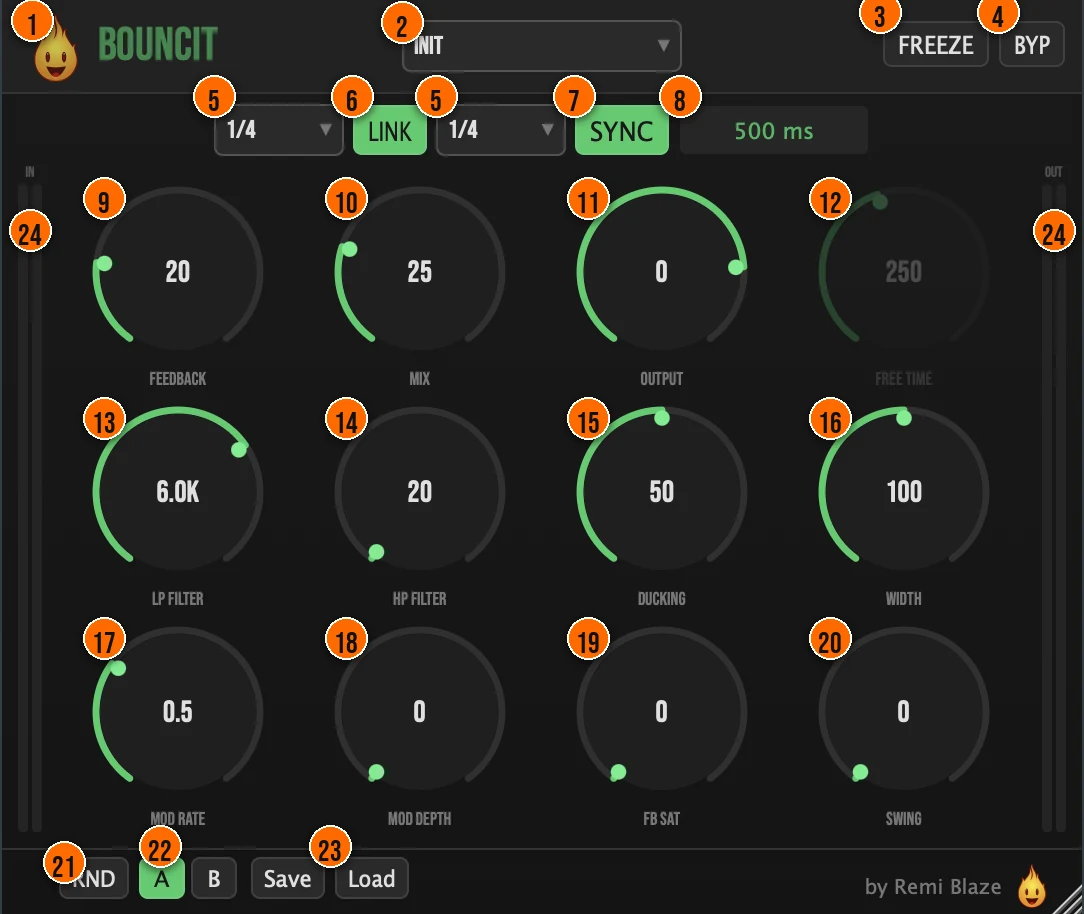
Controls
Top bar

- 1Fire Head: click the flame logo to open the About panel: what the plugin is, who made it, its version and the trademark notices. Click anywhere in the panel to close it.
- 2Presets: 14 factory presets, from Init and Subtle Slap to Ping Pong, Dub Echo, Vocal Throw and Long Wash.
- 3FREEZE: captures the delay buffer and loops it endlessly, for a wash that holds as long as you like.Tip Press FREEZE at the end of a phrase before a break: the buffer loops as a wash until you release it.
- 4BYP (Bypass): true bypass with a click-free crossfade.
Time
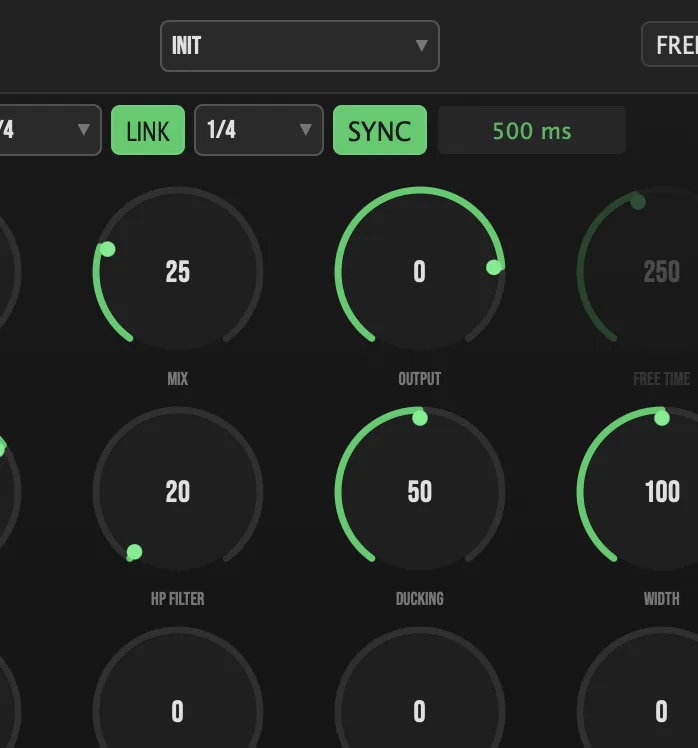
- 5Note values: the delay time of each channel as a note value synced to your DAW's tempo. Set the two sides to different values for ping-pong effects.1/32, 1/16, 1/8, 1/4, 1/2 or 1/1Tip Short values like 1/32 and 1/16 give a fast slap or flutter; longer values like 1/4 and 1/2 give distinct echoes you can hear as rhythm.
- 6LINK: locks the left and right delay times together.
- 7SYNC: on, the delay follows the note values; off, it uses Free Time in milliseconds.Tip Turn SYNC off for free time from 1 to 2000 ms, for a slapback that isn't tied to the grid.
- 12Free Time: the delay time in milliseconds, used when SYNC is off.1 to 2000 msTip To match your tempo, divide 60,000 by the BPM. At 120 BPM one quarter note is 500 ms, an eighth note is 250 ms and a dotted eighth is 375 ms.
- 20Swing: offsets the right channel's delay for a shuffled, grooving bounce.0 to 100%Tip Swing offsets only the right channel, so a little Swing turns straight echoes into a shuffled bounce.
Repeats
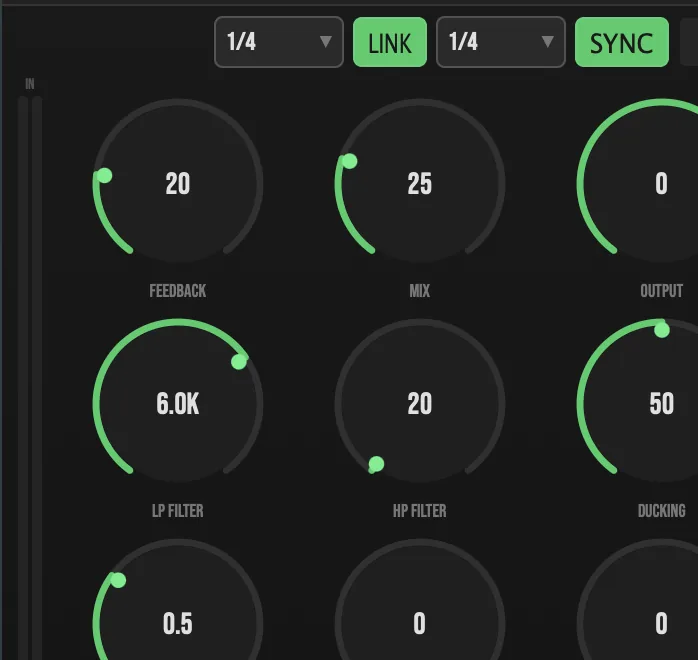
- 9Feedback: how much of each echo feeds back into the delay: more feedback, more repeats.0 to 95%Tip Feedback stops at 95%, so the repeats always fade out. For an endless hold, use FREEZE instead.
- 13LP Filter: a low-pass filter inside the feedback loop: each repeat gets darker as it fades.200 Hz to 20 kHz
- 14HP Filter: a high-pass filter inside the feedback loop, to keep the repeats out of the low end.20 Hz to 2 kHz
- 19FB Sat: tanh saturation inside the feedback loop, so the repeats grow warmer as they decay.0 to 100%Tip FB Sat works on every pass, so with high Feedback the late repeats get the most color. Pair it with a lower LP Filter for a dark, warm dub-style tail.
- 15Ducking: turns the delay down while the input is playing, so the echoes fill the gaps instead of covering the dry sound.0 to 100%
Modulation
- 17Mod Rate: the speed of the LFO that moves the delay time, for tape-style pitch wobble.0.01 to 5 Hz
- 18Mod Depth: how far the LFO moves the delay time.0 to 100%Tip A slow Mod Rate with a small Mod Depth gives a gentle tape wobble. Push Mod Depth higher for a wider pitch wobble on the repeats.
Output
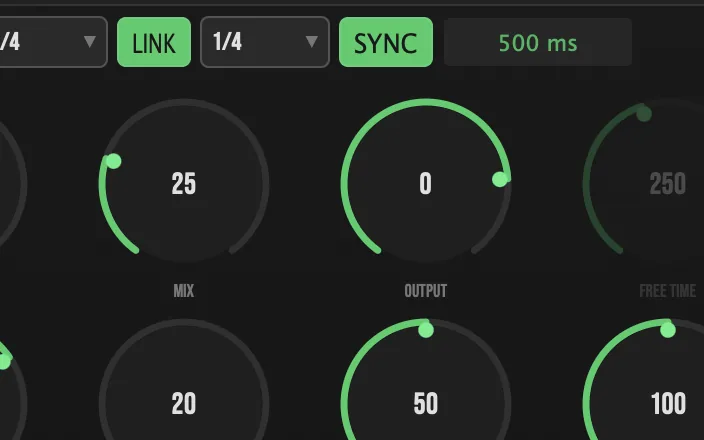
- 10Mix: blends the echoes with the dry signal, for use as an insert or in parallel.0 to 100%
- 11Output: the level leaving Bouncit.−24 to +6 dB
- 16Width: the stereo width of the echoes, through mid/side processing on the wet signal only.0% (mono) to 200% (extra wide)Tip Width works on the echoes only, so you can spread the delay wide while the dry sound stays where it is.
Presets and compare
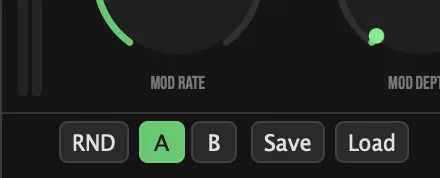
- 21RND (Randomize): a fresh starting point with one click.
- 22A / B: two snapshots of your settings: flip between them to compare.
- 23Save / Load: save your own .preset files, or load them back.
Meters and displays
- 8Time display: shows the current delay time.
- 24IN and OUT meters: the input level on the left edge and the output level on the right.
Key specs*
| Delay time | 1/32 to 1/1 synced to your DAW, or 1 to 2000 ms; left and right set separately or linked |
|---|---|
| Feedback | 0 to 95% |
| Feedback loop | Low-pass (200 Hz to 20 kHz), high-pass (20 Hz to 2 kHz), tanh saturation, DC blocker |
| Modulation | Sine LFO on the delay time, 0.01 to 5 Hz |
| Width | Mid/side on the wet signal, 0 to 200% |
| Saturation | Anti-aliased (ADAA) in the feedback loop and at the output |
| Output | −24 to +6 dB, soft clipper and hard ceiling |
| Factory presets | 14 |
* Key specs from the plugin page. Some specs may not be listed.
How does the sound flow through Bouncit?
A simplified view of the main path.
Ducking lowers the echoes while the input plays. Freeze loops the delay buffer.
What do Bouncit's echoes look like over time?
These sketches show level over time for three common delay moves. Gray is the dry sound and orange bars are the echoes. They show the idea, not exact measurements.
Slapback or long echo?
A slapback is one quick repeat that sits close behind the sound and thickens it. Use a short note value, or a short Free Time with SYNC off, and keep Feedback low; the Subtle Slap preset starts there. A long echo uses a longer time and more Feedback, so you hear each repeat on its own, a little quieter than the one before.
With Feedback at 0% you get a single repeat.
How does Ducking shape the echoes?
Ducking turns the echoes down while the input plays and lets them back up when it stops. The phrase stays clear and the echoes fill the gaps between phrases.
More Ducking pulls the echoes further down under the phrase.
How do I do a delay throw?
A throw sends only the last word or note of a phrase into the delay, so its echoes fill the gap before the next section. Put Bouncit on a send with Mix at 100%, then raise the send level for that one word.
How do I make a ping-pong vocal delay that stays out of the way?
- Load it. Put Bouncit on the vocal track, or start from the Ping Pong preset.
- Lock it to the beat. Turn on SYNC. Turn off LINK and set the two note values differently, for example 1/4 and 1/8, so the echoes bounce.
- Set the repeats. Raise Feedback for more repeats, and add Swing for a shuffled bounce.
- Clean them up. Raise HP Filter to keep the repeats out of the low end, and lower LP Filter so they get darker as they fade.
- Duck them. Turn up Ducking so the echoes drop while the vocal sings and come up in the gaps.
- Blend. Set Width for the spread, then Mix for the amount of delay, and match the level with Output.
How do I hold a delay wash into a drop with Bouncit?
- Load it. Put Bouncit on a vocal, synth or percussion track, or start from the Long Wash preset.
- Set the echoes. Turn on SYNC and pick a note value such as 1/4, then raise Feedback for long repeats.
- Darken the tail. Lower LP Filter so each repeat gets darker, and add FB Sat for warmth.
- Add movement. Add a little Mod Depth for tape wobble, and Width to spread the echoes.
- Freeze it. Press FREEZE on the last phrase before the drop. Bouncit loops the delay buffer as a wash.
- Drop. Release FREEZE on the downbeat of the drop.
What about Bouncit Raw?

Bouncit Raw is the free one-knob version, on the same delay engine. Its ECHO knob raises the feedback and the wet level together, from a subtle slap at low settings to a deeper, darker wash near the top. The bounce is fixed at a 1/4 note on the left and a dotted quarter on the right, synced to your project, the level stays matched, and it reports zero latency. Its own manual: Bouncit Raw manual.
Bouncit vs. Bouncit Raw
A side-by-side look at what each version includes.
| Feature | Bouncit | Bouncit Raw |
|---|---|---|
| Presets | Included | Not included |
| Randomize | Included | Not included |
| Mix (dry/wet) | Included | Not included |
| Output level | Included | Not included |
Keyboard and mouse shortcuts
These work in every Bouncit format (AU, VST3, CLAP, AAX, Standalone).
| Reset a control to its default | Double-click the knob or slider |
|---|---|
| Scroll to change a value | Hover over a knob and scroll the mouse wheel |
Frequently Asked Questions
When does the Free Time knob work?
When SYNC is off. Then the delay time is set in milliseconds, from 1 to 2000 ms, instead of by the note values.
How do I set Free Time to match my tempo?
Divide 60,000 by the BPM. At 120 BPM, one quarter note is 500 ms, an eighth note is half of that (250 ms) and a dotted eighth is three quarters (375 ms). For other tempos the same formula works: 60,000 ÷ BPM for a quarter note, half that for an eighth and multiply the eighth by 1.5 for a dotted eighth.
What does Ducking do?
It turns the echoes down while the input is playing and lets them come back up when it stops, so a vocal or lead stays clear and the delay fills the gaps.
What does Swing do?
It offsets the right channel's delay, from 0 to 100%, for a shuffled, grooving bounce between the speakers.
Does Width change the dry sound?
No. Width works on the wet signal only, from 0% (mono echoes) to 200% (extra wide). The dry sound keeps its own stereo image.
Where can I find more about Bouncit?
On the Bouncit page: its features, system requirements and how to get it.
How do I get and install Bouncit?
- Get it. Bouncit is free. Get it from the Bouncit page.
- Run the installer. On macOS, double-click the .pkg file and choose AU, VST3, CLAP, AAX or Standalone. On Windows, run the .exe installer and choose VST3, CLAP or Standalone.
- Open your DAW. Restart your DAW and rescan plugins if needed, then find Bouncit under Remi Blaze in your plugin list.
More about Bouncit, including its features and system requirements, is on the Bouncit page.
Where are the plugin files?
If you need to find Bouncit on disk, for example to troubleshoot or to uninstall it manually, these are the standard locations.
| macOS AU | ~/Library/Audio/Plug-Ins/Components/ |
|---|---|
| macOS VST3 | ~/Library/Audio/Plug-Ins/VST3/ |
| macOS CLAP | ~/Library/Audio/Plug-Ins/CLAP/ |
| macOS AAX | /Library/Application Support/Avid/Audio/Plug-Ins/ |
| Windows VST3 | C:\Program Files\Common Files\VST3\ |
| Windows CLAP | C:\Program Files\Common Files\CLAP\ |
To uninstall, quit your DAW and delete the Bouncit file from the relevant folder. Your DAW will stop listing it on its next rescan.
Need help with Bouncit?
If something isn't covered here, or Bouncit doesn't behave as described, contact support or email support@remiblaze.com. To get an answer faster, include:
- your operating system and version (for example macOS 15.6 or Windows 11)
- your DAW and its version
- the format you're using (AU, VST3, CLAP, AAX or Standalone)
- the Bouncit version, shown in the About panel (click the Fire Head)
- what you did, what you expected, and what happened instead
This manual is for Bouncit 1.0.1. Controls and settings can change between versions, so if something here doesn't match what you see, check which version you have: click the Fire Head to open Bouncit's About panel. Spotted a mistake or have a question? Let us know.