What is Morphix?
Morphix is a granular vocal processor and formant morph for Mac and Windows. Drop in a sample, or run live input through it, and a 64-voice grain engine rebuilds the sound: from a subtle doubler to frozen choral washes, glitchy stutters and evolving ambient clouds.
The grain engine sets the size, density, scatter and pitch of the grains. Three band-pass formant filters give them a vowel character you morph across A, E, I and O on the XY pad. Chord Mode stacks harmonized grain voices, Scale Lock keeps the pitch in key, and Mix and Output set the balance with the dry signal.
How does granular synthesis work?
Granular synthesis cuts a sound into tiny overlapping fragments called grains, typically 10 to 500 ms long, and plays many of them at once. Each grain fades in and out through a window shape so the joins are smooth. By changing how many grains play (density), where they start (scatter), and how they are pitched, the engine can stretch a moment into a cloud, freeze it in place, or scatter it into a texture.
Band-pass formant filters on top of the grain engine give each grain a vowel character. Morphix maps four vowel targets (A, E, I and O) to the corners of an XY pad, so dragging the point blends between them in real time.
Quick start
Get a result with Morphix in under a minute.
- Load a vocal. Drop a vocal sample on Drop Vocal Here, or put Morphix on the vocal track.
- Shape the grains. Raise Size for longer grains and Density for a fuller cloud. Add a little Scatter.
- Set the key. Set Scale and Root to the key of your track, and pick a Chord mode.
- Move the formant. Drag the point on the XY pad toward A, E, I or O, and set the formant Amount.
- Freeze it. Press Freeze on the moment you like, and Hold to keep it frozen. Set Mix and Output to blend.
The interface
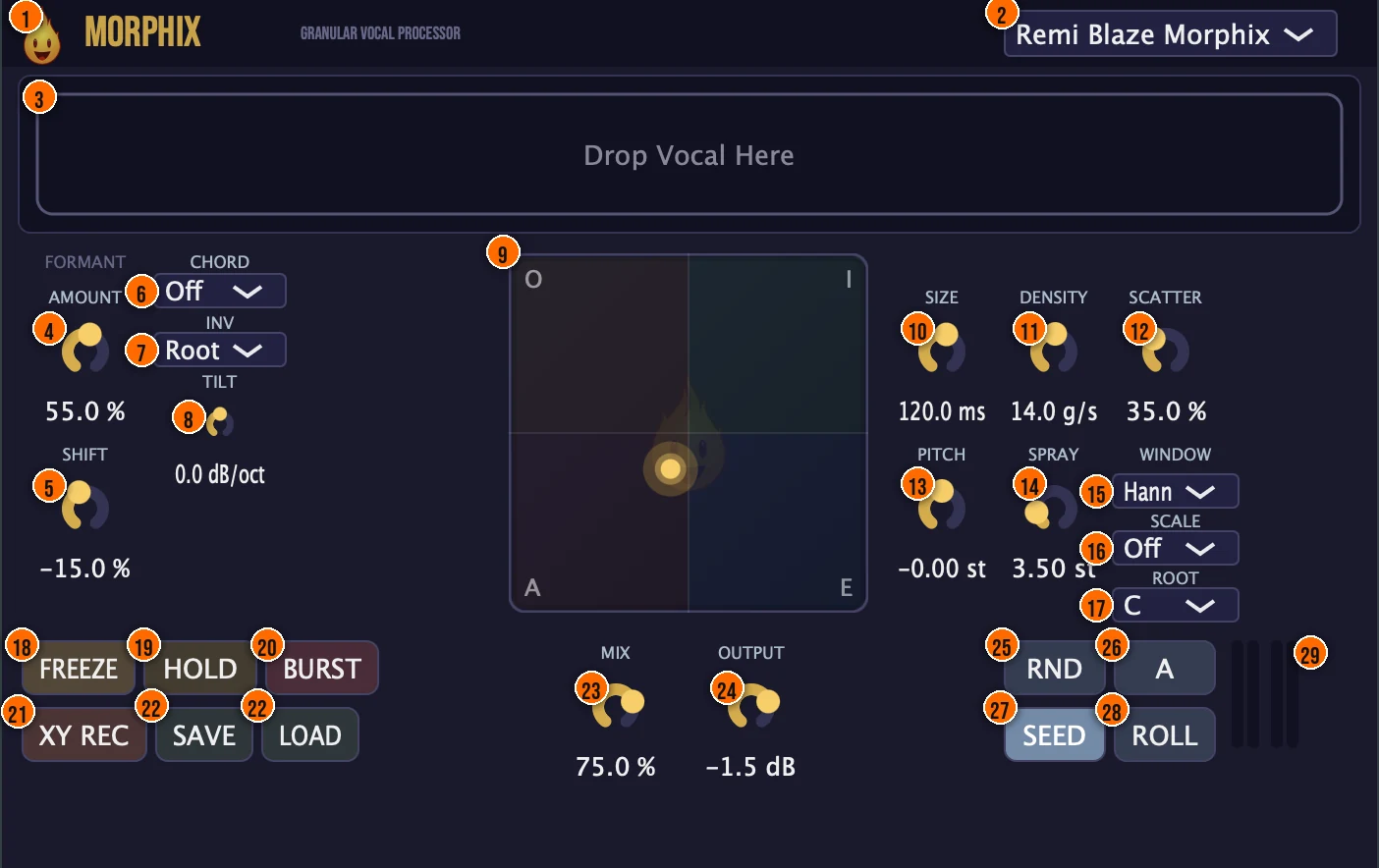
Controls
Top bar

- 1Fire Head: click the flame logo to open the About panel: what the plugin is, who made it, its version and the trademark notices. Click anywhere in the panel to close it.
- 2Presets: 17 factory presets, from Vocal Shimmer and Frozen Choir to Glitch Vocal, Deep Drone and Remi Blaze Morphix.
Source
- 3Drop Vocal Here: drop a sample here for Morphix to granulate. Morphix can also granulate live input in real time.
Formant
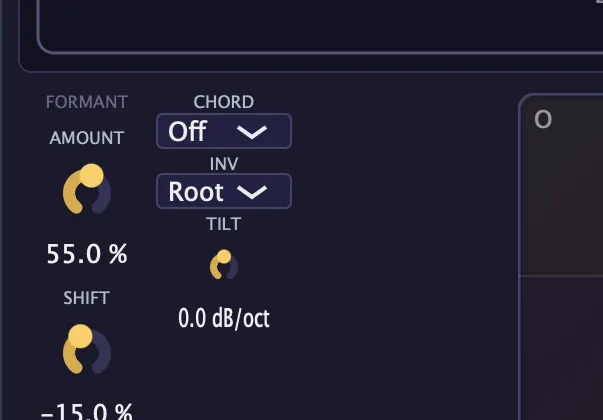
- 4Amount (Formant Amount): blends from the dry source to fully formant-filtered.
- 5Shift (Formant Shift): darkens or brightens the overall vowel character.
- 9XY pad (Formant X / Y): drag the point to morph between the A, E, I and O vowel shapes in the corners. Three parallel band-pass formant filters follow the vowel field.
Chord
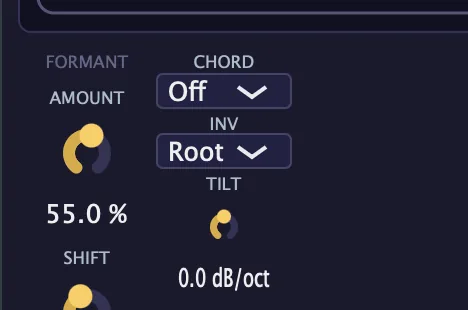
- 6Chord (Chord Mode): stacks harmonized grain voices.Off, Power, Minor, Major, Octave or Blaze9Tip Set Chord to Major or Minor and pick the right Scale and Root, so the harmonized grain voices stay in key with your track.
- 7Inv (Chord Inversion): spreads the chord voices upward. 1st lifts the second voice an octave; 2nd lifts the second and third voices. The root stays the lowest note, so this opens the voicing rather than putting a different note on the bottom. It has no effect on Power, which has only two voices.Root, 1st or 2nd
- 8Tilt (Harmonic Tilt): the spectral balance across the chord voices.±6 dB/oct
Grains
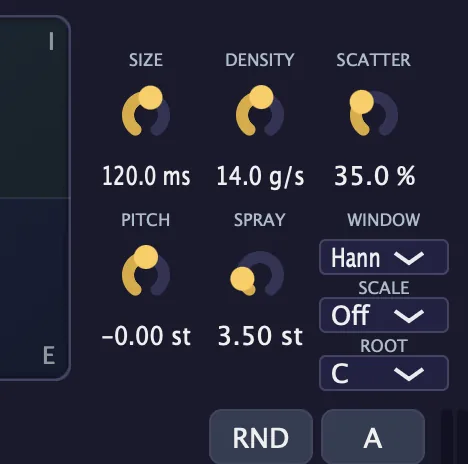
- 10Size: the length of each grain.10 to 500 msTip Longer grains (200 to 500 ms) give smoother pads. Shorter grains (10 to 50 ms) create stuttery, glitchy textures.
- 11Density: how densely the grains play.Tip Higher density fills the gaps between grains for a thick cloud. Lower density leaves space and lets individual grains stand out.
- 12Scatter: randomizes the grain start times, to avoid phasing.Tip Add Scatter to randomize grain start times and break up phasing artifacts that appear at low scatter values.
- 13Pitch: transposes the grains.±24 semitones
- 14Spray (Pitch Spray): detunes the grains, for shimmer.Tip A small amount of Spray adds shimmer. Higher values spread the grains across a wide pitch range for a washy, detuned effect.
- 15Window: the shape of each grain's fade in and out.Hann, Triangle, Rectangle or Tukey
- 16Scale (Scale Lock): quantizes the grain pitch to a scale.Off, Chromatic, Major, Minor, Pentatonic or Blues
- 17Root (Root Note): the key for Scale Lock.C through B
Performance and presets
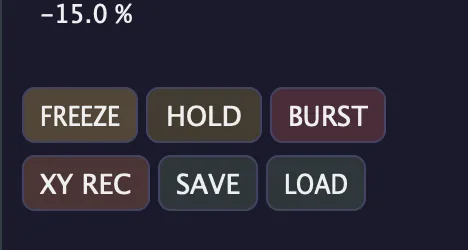
- 18Freeze: locks the grain buffer, to sustain a moment indefinitely.Tip Press Freeze on the exact moment you want to sustain, and Hold to keep it locked. The frozen buffer plays indefinitely.
- 19Hold (Freeze Hold): latches the frozen state so it stays put.
- 20Burst: a momentary button: while you hold it, Density goes to 50 g/s and Scatter to 100%, for a burst of grains.
- 21XY Rec (XY Record): records your movements on the XY pad and loops them back. Click XY REC and drag the point to record, click STOP to finish, and the recorded path plays back in a loop while the button reads XY PLAY. Click it again to clear the recording.Tip Record a slow sweep across the XY pad and let it loop. The recorded path keeps morphing the vowel without your hand on it.
- 22Save / Load: save your own presets, or load them back.
Output
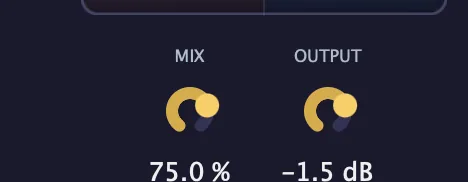
- 23Mix: the dry/wet blend.
- 24Output: the output level trim.−24 to +6 dB
Randomize and compare
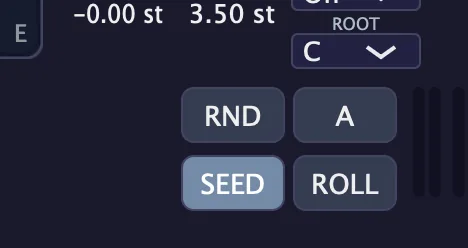
- 25RND (Randomize): randomizes the grain, formant and tilt settings in one click.
- 26A / B: one button that switches between two complete states, for instant comparison. Its label shows which state you are on.
- 27Seed (Seed Lock): Seed Lock: when it's lit, the grain texture is reproducible from a stored seed, so a saved project reloads sounding the same. When it's off, the texture re-randomizes on each playback.On or off, default onTip Keep Seed on if you need the same texture every time you open the project. Turn it off when you want a fresh texture on each playback.
- 28Roll: rolls a new grain texture, which is then locked and reproducible.
Meters and displays
- XY pad point: the glowing point on the XY pad (9) shows where the vowel sits between A, E, I and O.
- 29Level meters: input left and right and output left and right, from −60 to 0 dB, shading from green through orange to red.
Key specs*
| Grain engine | 64-voice grain pool |
|---|---|
| Grain size | 10 to 500 ms |
| Pitch | ±24 semitones |
| Grain windows | Hann, Triangle, Rectangle, Tukey |
| Formant filters | 3 parallel band-pass (IIR, Q = 8), F1/F2/F3 follow the vowel field |
| Chord modes | Power, Minor, Major, Octave, Blaze9 |
| Harmonic Tilt | ±6 dB/oct |
| Scale Lock | Off, Chromatic, Major, Minor, Pentatonic, Blues; root C through B |
| Output | −24 to +6 dB, 10 Hz DC-blocking high-pass |
| Factory presets | 17 |
* Key specs from the plugin page. Some specs may not be listed.
How does the sound flow through Morphix?
A simplified view of the main path.
Scale Lock keeps the pitch in key, and Freeze holds the current grain cloud in place. The source can be a loaded sample or live input.
Grain cloud
How the grain engine turns one moment of audio into a cloud of overlapping fragments.
Position, Size and Scatter
The playhead sits at the Position in the input buffer. Each grain reads a slice the length of Size, scattered by Scatter so the start times vary. Density sets how many grains fire per second, and Pitch and Pitch Spray shift and spread them.
Each grain fades in and out through a window shape (Hann, Triangle, Rectangle or Tukey) so the overlaps are smooth. Scatter randomizes the start times to break up phasing.
How do I turn a vocal into a frozen choir pad with Morphix?
- Load the vocal. Drop a vocal sample on Drop Vocal Here, or put Morphix on the vocal track.
- Set the grains. Raise Size for longer grains and Density for a fuller cloud, and add a little Scatter.
- Build the chord. Set Chord to Major or Minor, then set Scale and Root to the key of your track.
- Shape the vowel. Drag the point on the XY pad toward A, E, I or O, and set the formant Amount.
- Freeze it. Press Freeze on the moment you like, and Hold to keep it frozen.
- Blend. Set Mix and Output so the pad sits in the track.
How do I build an ambient texture from a vocal with Morphix?
- Load the vocal. Drop a vocal sample on Drop Vocal Here, or put Morphix on a vocal track for live input.
- Set long grains. Raise Size to 300 to 500 ms and Density to fill the space. Add some Scatter to break up any phasing.
- Add shimmer. Turn up Spray for pitch detuning across the grains, and set Pitch to taste.
- Shape the vowel. Drag the XY pad point toward a vowel, then record the movement with XY Rec so it drifts on its own.
- Freeze a moment. When you hear a texture you like, press Freeze and Hold to sustain it.
- Blend. Set Mix low (20 to 40%) to layer the texture under the dry vocal, or at 100% for a full replacement.
What about Morphix Raw?
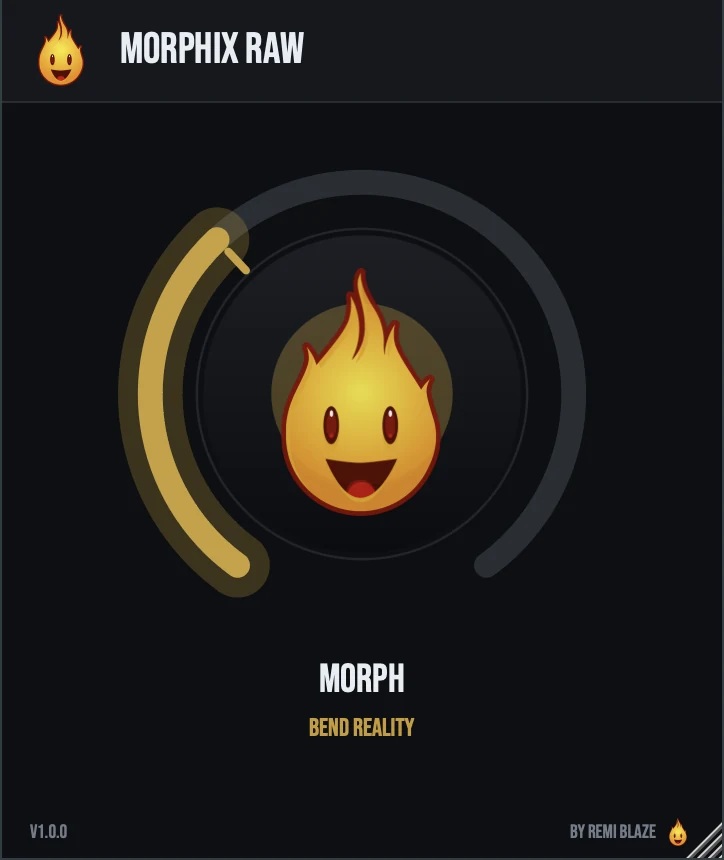
Morphix Raw is the free one-knob version. It works on live input, with no sample loading: turn its MORPH knob up and the dry signal crossfades into a granular cloud with vocal-formant character and pitch-spray shimmer. Automatic gain compensation keeps the level matched, and it reports zero latency. Its own manual: Morphix Raw manual.
Morphix vs. Morphix Raw
A side-by-side look at what each version includes.
| Feature | Morphix | Morphix Raw |
|---|---|---|
| Presets | Included | Not included |
| Randomize | Included | Not included |
| Mix (dry/wet) | Included | Not included |
| Output level | Included | Not included |
Keyboard and mouse shortcuts
These work in every Morphix format (AU, VST3, CLAP, AAX, Standalone).
| Reset a control to its default | Double-click the knob or slider |
|---|---|
| Scroll to change a value | Hover over a knob and scroll the mouse wheel |
| Type an exact value | Click the value below a knob and type a number |
Frequently Asked Questions
Do I have to load a sample?
No. Morphix can granulate a loaded file or live input in real time.
How do I get the same texture every time I open a project?
Switch on Seed. Seed Lock makes the grain texture reproducible, so a saved project reloads sounding the same.
What does Tilt do?
Harmonic Tilt balances the chord voices spectrally, by up to ±6 dB per octave. It works with Chord Mode.
How many grains can play at once?
Morphix has a 64-voice grain pool.
Where can I find more about Morphix?
On the Morphix page: its features, system requirements and how to get it.
How do I buy and install Morphix?
- Buy it. Morphix is a one-time purchase. Buy it from the Morphix page, and the store emails you the download link.
- Run the installer. On macOS, double-click the .pkg file and choose AU, VST3, CLAP, AAX or Standalone. On Windows, run the .exe installer and choose VST3, CLAP or Standalone.
- Open your DAW. Restart your DAW and rescan plugins if needed, then find Morphix under Remi Blaze in your plugin list.
More about Morphix, including its features and system requirements, is on the Morphix page.
Where are the plugin files?
If you need to find Morphix on disk, for example to troubleshoot or to uninstall it manually, these are the standard locations.
| macOS AU | ~/Library/Audio/Plug-Ins/Components/ |
|---|---|
| macOS VST3 | ~/Library/Audio/Plug-Ins/VST3/ |
| macOS CLAP | ~/Library/Audio/Plug-Ins/CLAP/ |
| macOS AAX | /Library/Application Support/Avid/Audio/Plug-Ins/ |
| Windows VST3 | C:\Program Files\Common Files\VST3\ |
| Windows CLAP | C:\Program Files\Common Files\CLAP\ |
To uninstall, quit your DAW and delete the Morphix file from the relevant folder. Your DAW will stop listing it on its next rescan.
Need help with Morphix?
If something isn't covered here, or Morphix doesn't behave as described, contact support or email support@remiblaze.com. To get an answer faster, include:
- your operating system and version (for example macOS 15.6 or Windows 11)
- your DAW and its version
- the format you're using (AU, VST3, CLAP, AAX or Standalone)
- the Morphix version, shown in the About panel (click the Fire Head)
- what you did, what you expected, and what happened instead
This manual is for Morphix 1.1.0. Controls and settings can change between versions, so if something here doesn't match what you see, check which version you have: click the Fire Head to open Morphix's About panel. Spotted a mistake or have a question? Let us know.