Purix
Automatic Resonance Removal
"Detects and removes resonances in real time using FFT analysis, five processing modes, and a one-click Learn system — transparent correction without guesswork."
Harsh peaks, muddy buildup, and boxy resonances hide in every mix — and hunting them down by ear eats hours. Purix analyzes your audio in real time with FFT-based spectral detection, finds problematic resonances the moment they spike, and applies fast per-bin dynamic gain reduction exactly where and when they occur — then releases the instant the resonance subsides. Clean, transparent correction that never touches your source tone.
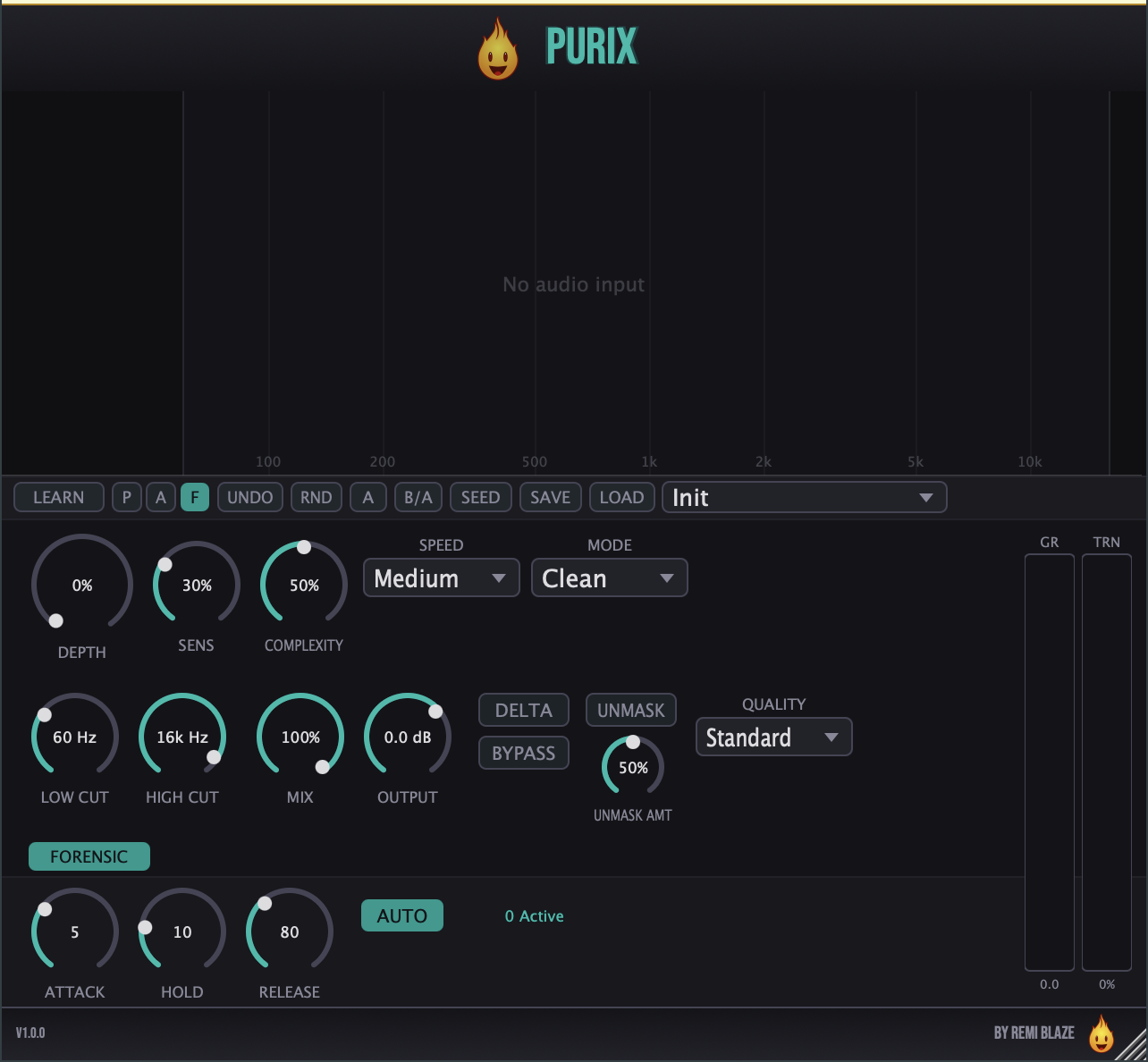
FEATURES
Spectral Processing Engine
Five Processing Modes
Detection & Envelope
Learn / Cleanse System
Output & Workflow
FACTORY PRESETS
SYSTEM REQUIREMENTS
- OS macOS 15.0 (Sequoia) or later · Windows 10 or 11 (64-bit)
- Architecture Apple Silicon + Intel (Universal Binary) · x64 on Windows
- Formats macOS: AU, VST3, CLAP, AAX, Standalone. Windows: VST3, CLAP, Standalone
- MIDI Accepts MIDI input for Harmonic mode pitch override
- Access Free — no account required
DOWNLOAD FREE
Purix is free — no account, no wallet, no strings. Download the installer and drop it in your DAW.
Licensed under the Freeware License.
FREQUENTLY ASKED QUESTIONS
Yes. Purix is completely free, with no account, no subscription and no trial period. Purix Raw is the one-knob version if you want something even simpler.
Yes. Purix is a Universal Binary that runs natively on Apple Silicon (M1/M2/M3/M4) and Intel Macs, and it also ships as a 64-bit build for Windows 10 and 11.
AU, VST3, CLAP, AAX and a Standalone app on macOS 15.0 or later, as a Universal Binary for Apple Silicon and Intel Macs. VST3, CLAP and a Standalone app on Windows 10 and 11, 64-bit. AAX ships on macOS only.
On macOS, double-click the .pkg installer and follow the prompts; it installs every format at once. On Windows, run the .exe installer. The macOS build is code-signed and notarized by Apple and the Windows build is Authenticode signed, so neither needs a security override. No dongle and no extra account.
Purix Raw is the one-knob version: the same engine behind a single macro, with the detailed controls hidden. Purix gives you the full control set.