Flarex
Stereo Imaging & Widening
"Power-constant stereo width with mono-compatible decorrelation — wide and lush up top, tight and mono down low, with phase-safety built in."
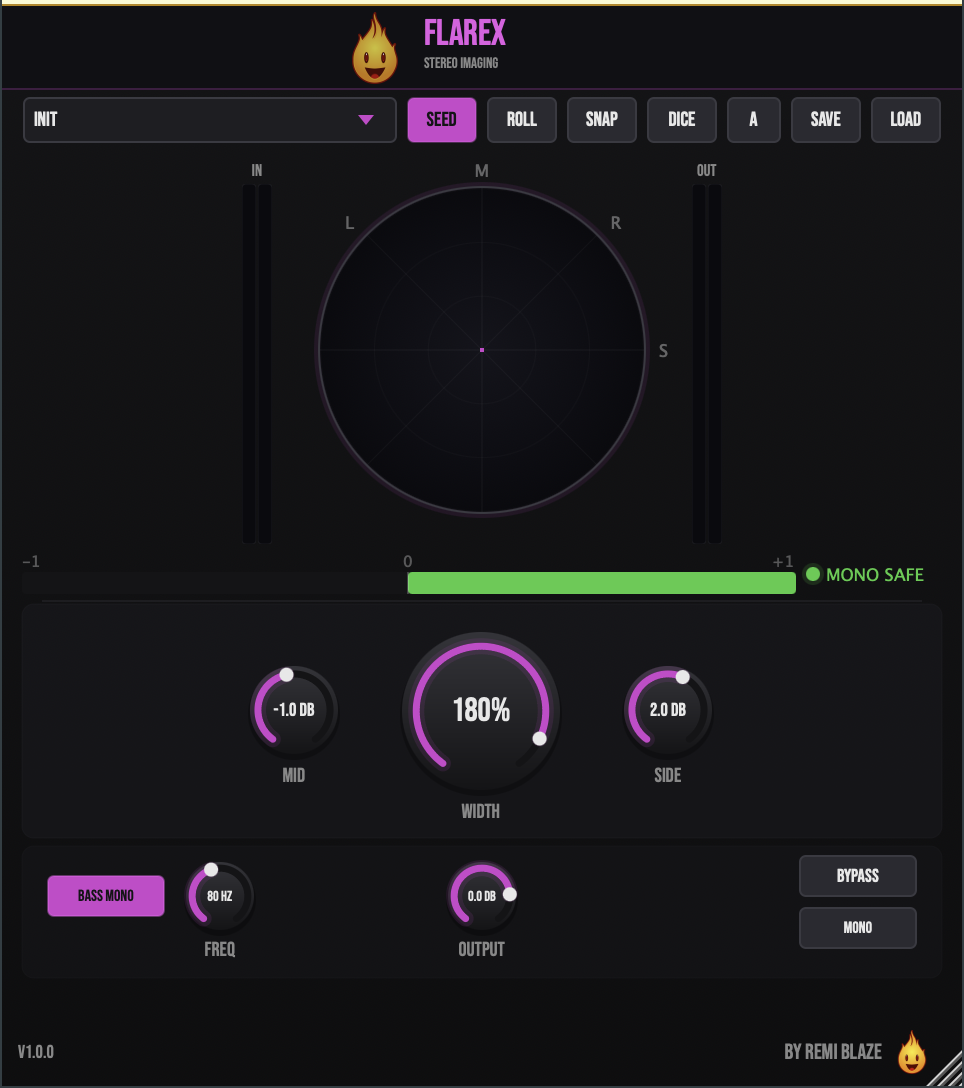
Flarex is a mid/side stereo imaging tool that lets you push width from full mono up to 200% using mono-compatible all-pass widening that survives a mono fold-down. A Linkwitz-Riley bass-mono crossover keeps your low end tight and centered, while a built-in vectorscope with a Cloud Density heatmap and a correlation meter let you read your stereo picture in real time. Signed and notarized on macOS, code-signed on Windows. AU, VST3, CLAP, AAX and Standalone on macOS; VST3, CLAP and Standalone on Windows.
INSTALLATION
3 steps.
RUN THE INSTALLER
Double-click the .pkg file. Choose AU, VST3, CLAP, AAX or Standalone.
CHOOSE YOUR FORMATS
The installer lets you pick AU (Logic, GarageBand, Ableton), VST3 (Ableton, Reaper, Bitwig, FL Studio), and the Standalone app. Install takes a few seconds.
OPEN YOUR DAW
Restart your DAW and rescan plugins if needed. Find Flarex under Remi Blaze in your plugin list.
- Ableton: Plugins › Audio Effects › VST3
- Logic Pro: Audio Effects › Remi Blaze › Flarex
- Reaper: FX › VST3 › Flarex
FEATURES
Core Imaging
Phase Safety
Visualization
Snapshot & Presets
FACTORY PRESETS
SYSTEM REQUIREMENTS
- OS macOS 15.0 (Sequoia) or later · Windows 10 or 11 (64-bit)
- Architecture Apple Silicon + Intel (Universal Binary) · x64 on Windows
- Formats macOS: AU, VST3, CLAP, AAX, Standalone. Windows: VST3, CLAP, Standalone
- DAW Any AU, VST3, CLAP or AAX compatible host
FREQUENTLY ASKED QUESTIONS
Yes. Flarex is completely free to download and use under a proprietary freeware license. No trial, no watermark, no feature limits.
From 0–100%, Flarex uses a power-constant mid/side cos/sin law so perceived loudness stays stable as you narrow or widen. Above 100%, it uses cascaded all-pass decorrelation that adds perceived width which survives a mono fold-down — so there's no phase cancellation when your track is summed to mono.
A hysteresis correlation monitor that watches your stereo image. When correlation drops into risky territory, it automatically eases the effective width back toward 50% and restores smoothly once the phase relationship recovers. A Deep-Dive Hard Mute collapses to mono on severe phase inversion, with click-free crossfades throughout.
Bass Mono uses a Linkwitz-Riley crossover to collapse low-frequency side content to mono below an adjustable frequency (20–500Hz). This keeps your low end tight, centered, and club-safe while the rest of the spectrum stays wide.
A 128×128 teal-to-orange density map rendered inside the vectorscope. Teal shows side-heavy energy and orange shows mid-heavy energy, so you can read at a glance where your stereo energy sits. Use SNAP to freeze a ghost overlay and compare A/B as you tweak.
Yes. Flarex is a Universal Binary that runs natively on Apple Silicon (M1/M2/M3/M4) and Intel Macs, and ships as a 64-bit build for Windows 10 and 11.
Installation guide is above. Need more help? Visit the support page.
TRY FLAREX RAW FREE
Want the one-knob version while you wait?
Flarex Raw gives you the core widening engine behind a single knob — completely free, part of the Blaze Essentials pack.
MORE PLUGINS
Flarex is part of a growing collection of tools designed by a producer, for producers. More plugins are on the way.
Licensed under the Freeware License.