Furnix
Compressor with Saturation
"A feed-forward compressor with three saturation modes and transient Punch — control, density, and analog weight in one move."
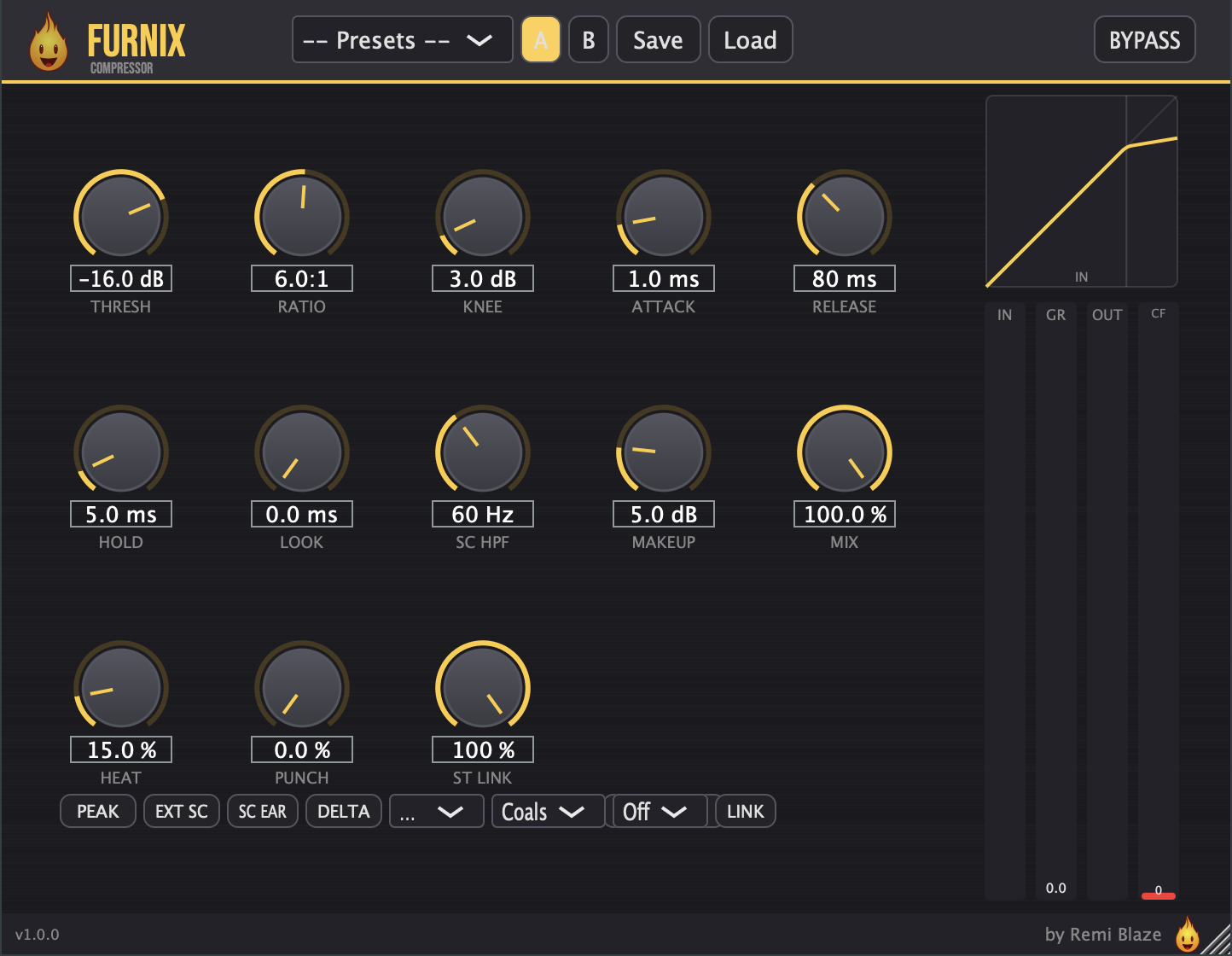
Furnix is a full-featured dynamics compressor wrapped in a dark, brushed-metal, ember-orange interface built for tech house, techno, and electronic music. It pairs peak/RMS detection, lookahead, and flexible sidechain filtering with a built-in saturation stage — so you get transparent control and analog heat from a single plugin. Live gain-reduction metering and Delta monitoring let you hear exactly what it's doing to every part of your mix.
INSTALLATION
3 steps.
RUN THE INSTALLER
Double-click the Furnix_Installer.pkg file. Choose AU, VST3, CLAP, AAX or Standalone.
CHOOSE YOUR FORMATS
The installer lets you pick AU (Logic, GarageBand, Ableton), VST3 (Ableton, Reaper, Bitwig, FL Studio), and the Standalone app. Install takes a few seconds.
OPEN YOUR DAW
Restart your DAW and rescan plugins if needed. Find Furnix under Remi Blaze in your plugin list.
- Ableton: Plugins › Audio Effects › VST3
- Logic Pro: Audio Effects › Remi Blaze › Furnix
- Reaper: FX › VST3 › Furnix
FEATURES
Compression Engine
Heat & Punch
Sidechain & Release
Monitoring & Presets
FACTORY PRESETS
SYSTEM REQUIREMENTS
- OS macOS 15.0 (Sequoia) or later · Windows 10 or 11 (64-bit)
- Architecture Apple Silicon + Intel (Universal Binary) · x64 on Windows
- Formats macOS: AU, VST3, CLAP, AAX, Standalone. Windows: VST3, CLAP, Standalone
- DAW Any AU, VST3, CLAP or AAX compatible host
FREQUENTLY ASKED QUESTIONS
Yes. Furnix is completely free to download and use under a proprietary freeware license. No trial, no watermark, no feature limits.
Three Heat modes built into the compressor: Coals (soft tanh — warm, tube-like), Flame (cubic — brighter, more aggressive odd harmonics), and Blast (asymmetric — even harmonics for analog weight). The Heat stage is 4x oversampled with auto-gain compensation to keep loudness stable.
Punch uses a fast dual-time-constant transient detector to re-inject attack energy that compression removes — without touching the sustain. Dial it in to restore snap and impact to drums and transient material after heavy compression.
Delta lets you hear only what the compressor is doing to your signal — it outputs the difference between the dry input and the compressed output. It's a forensic tool for understanding exactly how the compression and saturation are shaping your sound.
Furnix has a sidechain HPF (20–500 Hz) so kick and sub energy don't trigger unwanted pumping, plus an SC Tilt mid-focused detection mode, an external sidechain input for classic ducking, and SC Listen to audition the detector signal while you tune it.
Yes. Furnix is a Universal Binary that runs natively on Apple Silicon (M1/M2/M3/M4) and Intel Macs, and ships as a 64-bit build for Windows 10 and 11.
Installation guide is above. Need more help? Visit the support page.
TRY FURNIX RAW FREE
Want the one-knob version while you wait?
Furnix Raw gives you the core compression engine behind a single knob — completely free, part of the Blaze Essentials pack.
MORE PLUGINS
Furnix is part of a growing collection of tools designed by a producer, for producers. More plugins are on the way.
Licensed under the Freeware License.