Gaugex
Loudness Meter & Level Manager
"Know exactly how loud your mix is — and whether it's ready for release."
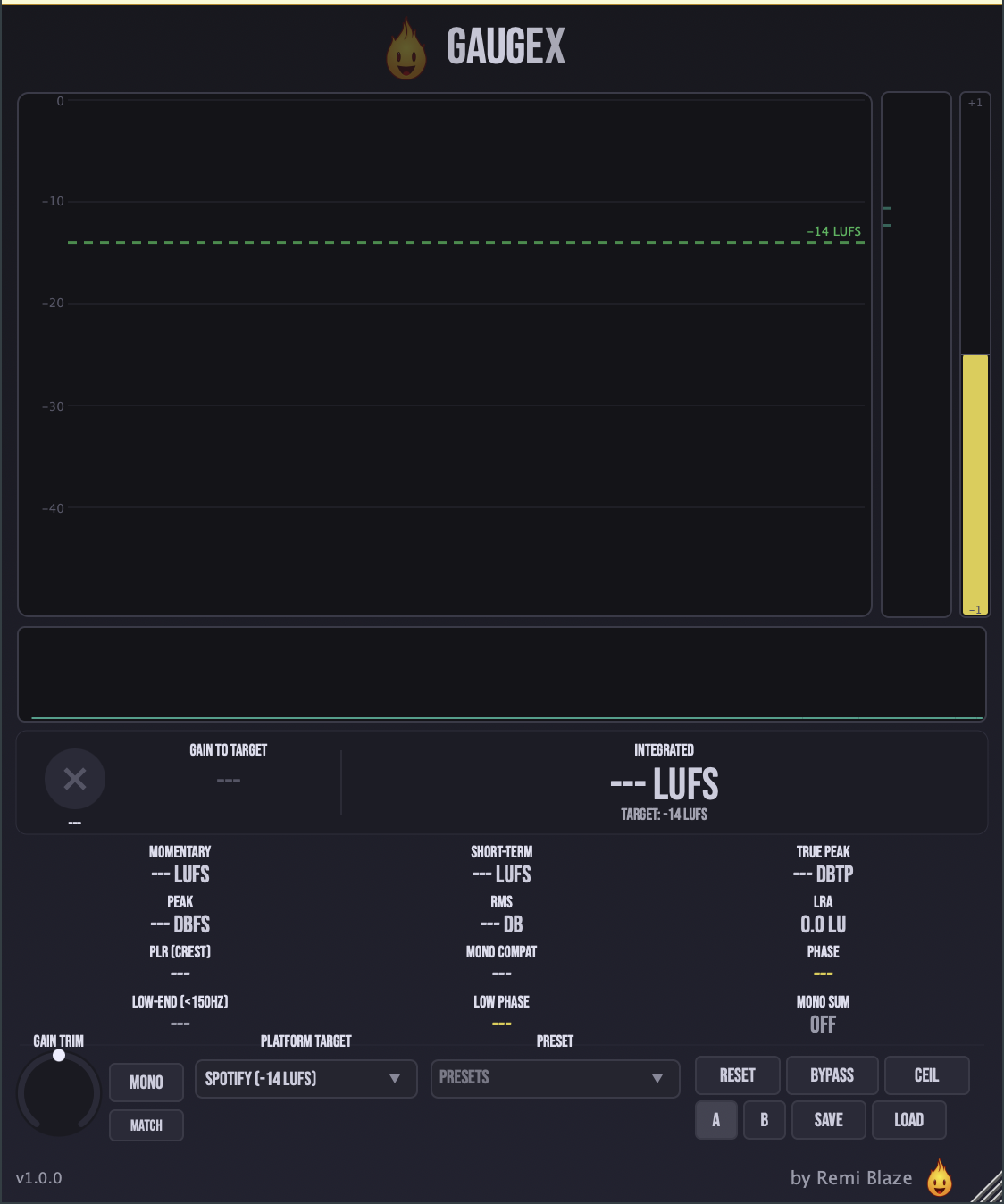
Gaugex is a loudness meter for your master bus. It measures LUFS, true peak, dynamic range, and stereo image against ITU-R BS.1770-4 / EBU R128, then tells you at a glance whether your track hits the target for Spotify, Apple Music, YouTube, and more. It listens transparently by default — your signal passes straight through untouched.
INSTALLATION
3 steps.
RUN THE INSTALLER
Double-click the .pkg file. Choose AU, VST3, CLAP, AAX or Standalone.
CHOOSE YOUR FORMATS
The installer lets you pick AU (Logic, GarageBand, Ableton), VST3 (Ableton, Reaper, Bitwig, FL Studio), and the Standalone app. Install takes a few seconds.
OPEN YOUR DAW
Restart your DAW and rescan plugins if needed. Find Gaugex under Remi Blaze in your plugin list.
- Ableton: Plugins › Audio Effects › VST3
- Logic Pro: Audio Effects › Remi Blaze › Gaugex
- Reaper: FX › VST3 › Gaugex
FEATURES
Loudness Metering
Phase & Spectrum
Level Management
Workflow
.gaugexpreset filesUnder the Hood
FACTORY PRESETS
SYSTEM REQUIREMENTS
- OS macOS 15.0 (Sequoia) or later · Windows 10 or 11 (64-bit)
- Architecture Apple Silicon + Intel (Universal Binary) · x64 on Windows
- Formats macOS: AU, VST3, CLAP, AAX, Standalone. Windows: VST3, CLAP, Standalone
- DAW Any AU, VST3, CLAP or AAX compatible host
FREQUENTLY ASKED QUESTIONS
Yes. Gaugex is completely free to download and use under a proprietary freeware license. No trial, no watermark, no feature limits.
Gaugex is a full metering suite: integrated LUFS, LRA (loudness range), RMS, PLR/crest factor, true peak, phase correlation with mono-compatibility and low-end phase, a low-end energy sentinel, and a spectrum analyzer — all built on ITU-R BS.1770-4 / EBU R128.
Yes. Pick a platform target (Spotify -14, Apple Music -16, YouTube -14, Club/DJ -6, Broadcast -23, or Custom) and Gaugex gives you a pass/fail check plus a Gain-to-Target readout showing exactly how many dB to move. An optional gain trim lets you level-match takes for an honest comparison, and the loudness history graph shows your loudness walk toward the goal.
Gaugex Raw is the free single-readout meter — integrated LUFS versus a target, plus three secondary readouts. The full Gaugex adds LRA, RMS, PLR/crest, phase correlation and mono-compat, the spectrum analyzer, the loudness history graph, optional gain trim, and 15 factory presets.
Gaugex is primarily an analyzer. Metering runs on a copy of your signal, and the level-management gain trim is an honest, transparent trim for matching — it never colours the tone.
Yes. Gaugex is a Universal Binary that runs natively on Apple Silicon (M1/M2/M3/M4) and Intel Macs, and ships as a 64-bit build for Windows 10 and 11.
Installation guide is above. Need more help? Visit the support page.
MORE PLUGINS
Want the dead-simple version? Gaugex Raw is the free single-readout LUFS meter. Gaugex is one of a growing collection of tools designed by a producer, for producers.
Licensed under the Freeware License.